
Phone Ads and Pop-Ups After Installing an App? Here’s How to Stop Them
Unexpected full-screen ads, browser redirects, or lock-screen pop-ups can be caused by a recently installed app, a browser notification permission, or a deceptive website. Use these safe checks to identify the source.
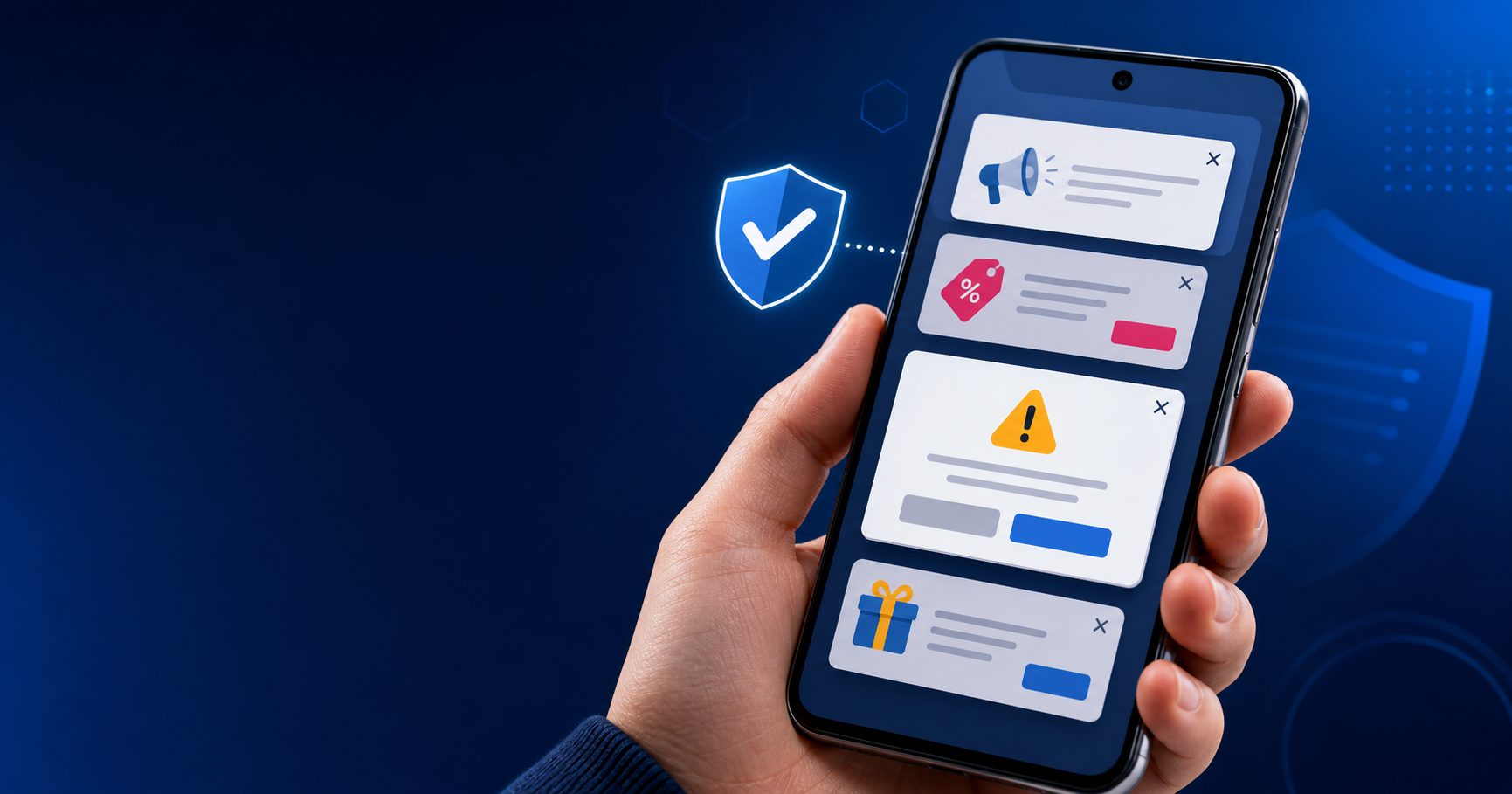
Start with the latest change. If the ads began soon after you installed an app, that app is a sensible first suspect—but it is not proof. Avoid installing another “cleaner” from an ad, and never enter payment or account details into a pop-up.
Why ads may appear when no app seems open
A recently installed Android app
Some apps display ads over other apps or trigger notifications. Games, launchers, QR tools, file managers, and unofficial downloads deserve extra scrutiny.
Browser notification permission
A website may have been allowed to send notifications. These can look like security alerts even when the browser is closed.
Calendar or configuration spam
On iPhone, unwanted calendar subscriptions or unfamiliar profiles can create persistent alerts. Do not remove a work or school profile without checking first.
A compromised account
If alerts mention sign-ins, purchases, or password changes, open the official app or type the service’s address yourself. Do not use the pop-up link.
Quick symptom checker
Choose the closest symptom. This tool provides general next steps and does not scan your phone.
How to stop unwanted ads on Android
Restart in Safe Mode if available
If ads stop in Safe Mode, a downloaded app is likely involved. Safe Mode steps vary by manufacturer, so use the device maker’s official instructions.
Review recently installed apps
Open Settings, find Apps, sort by recently installed or recently used, and uninstall unfamiliar apps one at a time. Avoid removing system apps.
Check “display over other apps” access
In Settings, search for display over other apps or appear on top. Disable it for apps that do not need it.
Remove abusive website notifications
In Chrome, review Settings → Site settings → Notifications. Remove or block sites you do not recognize, then clear browsing data if redirects continue.
Run built-in protection and update
Use Google Play Protect, install Android and app updates, and download apps only from a trusted store. A factory reset should be a last resort after a verified backup.
How to stop unwanted pop-ups on iPhone
Close the tab without interacting
Do not tap “Allow,” call a number, or install anything from a warning. Close the tab, then reopen Safari.
Clear Safari website data
In Settings, open Safari (or Apps → Safari, depending on iOS version) and clear history and website data. This may sign you out of websites.
Review notifications and subscriptions
Disable notifications from unfamiliar apps. In Calendar, remove unknown subscribed calendars. Review Settings → General → VPN & Device Management for profiles you do not recognize.
Delete suspicious apps and update iOS
Remove apps installed around the time the issue began, then install the latest available iOS update. If account alerts continue, change the password through the official service.
Important: A web page cannot reliably scan your iPhone for viruses. Countdown timers and urgent payment demands are common warning signs of a scam.
How to prevent the problem from returning
| Do | Avoid |
|---|---|
| Check the developer, reviews, permissions, and update history. | Installing apps or configuration profiles from pop-up ads. |
| Keep the phone and apps updated. | Granting notification, accessibility, or overlay access without a clear need. |
| Use unique passwords and multifactor authentication. | Calling phone numbers displayed in browser security warnings. |
Data safety: Back up important photos and files before advanced troubleshooting. If the phone contains work, banking, or health information, ask a qualified technician before resetting it.
Frequently asked questions
Why does my phone show ads after I installed an app?
The timing makes that app a reasonable suspect, especially on Android, but browser notifications or another recently updated app can also be responsible. Review recent apps and permissions before assuming the phone has a hardware fault.
Can an iPhone get pop-ups when Safari is closed?
Yes. App notifications, calendar subscriptions, and unfamiliar configuration profiles can create alerts that resemble browser pop-ups. Review each source in Settings rather than tapping the alert.
Should I install an antivirus app from the warning?
No. Close the warning and use only built-in security tools or software obtained directly from a trusted app store or vendor.
Will a factory reset remove the ads?
It may, but it should be a last resort. First remove suspicious apps, permissions, website notifications, and profiles. Back up important data before any reset.
Does ThrifTech offer diagnostics?
ThrifTech advertises free diagnostics for many repair inquiries. Eligibility can depend on the device and issue, so call the nearest store to confirm before visiting.
Need help removing phone ads in Niagara Region?
If the ads continue, ThrifTech can help assess whether the cause is an app, browser setting, account issue, or another software problem. Walk-ins are welcome during posted business hours; call or text first to confirm availability.
Request a repair quote · Cell phone repair in Fonthill · iPhone repair
Phone Ads and Pop-Ups After Installing an App? Here’s How to Stop Them
Unexpected full-screen ads, browser redirects, or lock-screen pop-ups can be caused by a recently installed app, a browser notification permission, or a deceptive website. Use these safe checks to identify the source.
Start with the latest change. If the ads began soon after you installed an app, that app is a sensible first suspect—but it is not proof. Avoid installing another “cleaner” from an ad, and never enter payment or account details into a pop-up.
Why ads may appear when no app seems open
A recently installed Android app
Some apps display ads over other apps or trigger notifications. Games, launchers, QR tools, file managers, and unofficial downloads deserve extra scrutiny.
Browser notification permission
A website may have been allowed to send notifications. These can look like security alerts even when the browser is closed.
Calendar or configuration spam
On iPhone, unwanted calendar subscriptions or unfamiliar profiles can create persistent alerts. Do not remove a work or school profile without checking first.
A compromised account
If alerts mention sign-ins, purchases, or password changes, open the official app or type the service’s address yourself. Do not use the pop-up link.
Quick symptom checker
Choose the closest symptom. This tool provides general next steps and does not scan your phone.
How to stop unwanted ads on Android
Restart in Safe Mode if available
If ads stop in Safe Mode, a downloaded app is likely involved. Safe Mode steps vary by manufacturer, so use the device maker’s official instructions.
Review recently installed apps
Open Settings, find Apps, sort by recently installed or recently used, and uninstall unfamiliar apps one at a time. Avoid removing system apps.
Check “display over other apps” access
In Settings, search for display over other apps or appear on top. Disable it for apps that do not need it.
Remove abusive website notifications
In Chrome, review Settings → Site settings → Notifications. Remove or block sites you do not recognize, then clear browsing data if redirects continue.
Run built-in protection and update
Use Google Play Protect, install Android and app updates, and download apps only from a trusted store. A factory reset should be a last resort after a verified backup.
How to stop unwanted pop-ups on iPhone
Close the tab without interacting
Do not tap “Allow,” call a number, or install anything from a warning. Close the tab, then reopen Safari.
Clear Safari website data
In Settings, open Safari (or Apps → Safari, depending on iOS version) and clear history and website data. This may sign you out of websites.
Review notifications and subscriptions
Disable notifications from unfamiliar apps. In Calendar, remove unknown subscribed calendars. Review Settings → General → VPN & Device Management for profiles you do not recognize.
Delete suspicious apps and update iOS
Remove apps installed around the time the issue began, then install the latest available iOS update. If account alerts continue, change the password through the official service.
Important: A web page cannot reliably scan your iPhone for viruses. Countdown timers and urgent payment demands are common warning signs of a scam.
How to prevent the problem from returning
| Do | Avoid |
|---|---|
| Check the developer, reviews, permissions, and update history. | Installing apps or configuration profiles from pop-up ads. |
| Keep the phone and apps updated. | Granting notification, accessibility, or overlay access without a clear need. |
| Use unique passwords and multifactor authentication. | Calling phone numbers displayed in browser security warnings. |
Data safety: Back up important photos and files before advanced troubleshooting. If the phone contains work, banking, or health information, ask a qualified technician before resetting it.
Frequently asked questions
Why does my phone show ads after I installed an app?
The timing makes that app a reasonable suspect, especially on Android, but browser notifications or another recently updated app can also be responsible. Review recent apps and permissions before assuming the phone has a hardware fault.
Can an iPhone get pop-ups when Safari is closed?
Yes. App notifications, calendar subscriptions, and unfamiliar configuration profiles can create alerts that resemble browser pop-ups. Review each source in Settings rather than tapping the alert.
Should I install an antivirus app from the warning?
No. Close the warning and use only built-in security tools or software obtained directly from a trusted app store or vendor.
Will a factory reset remove the ads?
It may, but it should be a last resort. First remove suspicious apps, permissions, website notifications, and profiles. Back up important data before any reset.
Does ThrifTech offer diagnostics?
ThrifTech advertises free diagnostics for many repair inquiries. Eligibility can depend on the device and issue, so call the nearest store to confirm before visiting.
Need help removing phone ads in Niagara Region?
If the ads continue, ThrifTech can help assess whether the cause is an app, browser setting, account issue, or another software problem. Walk-ins are welcome during posted business hours; call or text first to confirm availability.
Request a repair quote · Cell phone repair in Fonthill · iPhone repair
Phone Ads and Pop-Ups After Installing an App? Here’s How to Stop Them
Unexpected full-screen ads, browser redirects, or lock-screen pop-ups can be caused by a recently installed app, a browser notification permission, or a deceptive website. Use these safe checks to identify the source.

Start with the latest change. If the ads began soon after you installed an app, that app is a sensible first suspect—but it is not proof. Avoid installing another “cleaner” from an ad, and never enter payment or account details into a pop-up.
Why ads may appear when no app seems open
A recently installed Android app
Some apps display ads over other apps or trigger notifications. Games, launchers, QR tools, file managers, and unofficial downloads deserve extra scrutiny.
Browser notification permission
A website may have been allowed to send notifications. These can look like security alerts even when the browser is closed.
Calendar or configuration spam
On iPhone, unwanted calendar subscriptions or unfamiliar profiles can create persistent alerts. Do not remove a work or school profile without checking first.
A compromised account
If alerts mention sign-ins, purchases, or password changes, open the official app or type the service’s address yourself. Do not use the pop-up link.
Quick symptom checker
Choose the closest symptom. This tool provides general next steps and does not scan your phone.
How to stop unwanted ads on Android
Restart in Safe Mode if available
If ads stop in Safe Mode, a downloaded app is likely involved. Safe Mode steps vary by manufacturer, so use the device maker’s official instructions.
Review recently installed apps
Open Settings, find Apps, sort by recently installed or recently used, and uninstall unfamiliar apps one at a time. Avoid removing system apps.
Check “display over other apps” access
In Settings, search for display over other apps or appear on top. Disable it for apps that do not need it.
Remove abusive website notifications
In Chrome, review Settings → Site settings → Notifications. Remove or block sites you do not recognize, then clear browsing data if redirects continue.
Run built-in protection and update
Use Google Play Protect, install Android and app updates, and download apps only from a trusted store. A factory reset should be a last resort after a verified backup.
How to stop unwanted pop-ups on iPhone
Close the tab without interacting
Do not tap “Allow,” call a number, or install anything from a warning. Close the tab, then reopen Safari.
Clear Safari website data
In Settings, open Safari (or Apps → Safari, depending on iOS version) and clear history and website data. This may sign you out of websites.
Review notifications and subscriptions
Disable notifications from unfamiliar apps. In Calendar, remove unknown subscribed calendars. Review Settings → General → VPN & Device Management for profiles you do not recognize.
Delete suspicious apps and update iOS
Remove apps installed around the time the issue began, then install the latest available iOS update. If account alerts continue, change the password through the official service.
Important: A web page cannot reliably scan your iPhone for viruses. Countdown timers and urgent payment demands are common warning signs of a scam.
How to prevent the problem from returning
| Do | Avoid |
|---|---|
| Check the developer, reviews, permissions, and update history. | Installing apps or configuration profiles from pop-up ads. |
| Keep the phone and apps updated. | Granting notification, accessibility, or overlay access without a clear need. |
| Use unique passwords and multifactor authentication. | Calling phone numbers displayed in browser security warnings. |
Data safety: Back up important photos and files before advanced troubleshooting. If the phone contains work, banking, or health information, ask a qualified technician before resetting it.
Frequently asked questions
Why does my phone show ads after I installed an app?
The timing makes that app a reasonable suspect, especially on Android, but browser notifications or another recently updated app can also be responsible. Review recent apps and permissions before assuming the phone has a hardware fault.
Can an iPhone get pop-ups when Safari is closed?
Yes. App notifications, calendar subscriptions, and unfamiliar configuration profiles can create alerts that resemble browser pop-ups. Review each source in Settings rather than tapping the alert.
Should I install an antivirus app from the warning?
No. Close the warning and use only built-in security tools or software obtained directly from a trusted app store or vendor.
Will a factory reset remove the ads?
It may, but it should be a last resort. First remove suspicious apps, permissions, website notifications, and profiles. Back up important data before any reset.
Does ThrifTech offer diagnostics?
ThrifTech advertises free diagnostics for many repair inquiries. Eligibility can depend on the device and issue, so call the nearest store to confirm before visiting.
Need help removing phone ads in Niagara Region?
If the ads continue, ThrifTech can help assess whether the cause is an app, browser setting, account issue, or another software problem. Walk-ins are welcome during posted business hours; call or text first to confirm availability.
Request a repair quote · Cell phone repair in Fonthill · iPhone repair