
Spilled Liquid on Your Laptop? Here’s What to Do.
Water on your keyboard? Coffee spilled on your MacBook? The next few minutes matter. Follow these essential steps to reduce the risk of serious damage to your laptop and important data.

Stop using your laptop. Turn it off and unplug it.
Even if the laptop still appears to work, continuing to use it after a liquid spill can cause electrical damage. Disconnect the charger if safe to do so. Do not turn the laptop back on to test it.
The first four things you should do.
Whether you spilled water on a Windows laptop or coffee on a MacBook Pro, these steps can help limit additional damage before professional inspection.
Turn It Off Immediately.
Shut down the laptop as quickly as possible. If it doesn’t respond, hold the power button to force a shutdown. Don’t continue working, saving documents, or testing programs.
Disconnect the Charger.
Unplug external power and stop charging. If the charger, outlet, or your hands are wet, avoid touching electrical connections until power is made safe. Don’t attempt to open a sealed battery.
Remove Accessories.
Carefully disconnect USB devices, external drives, mice, docks, and other accessories. Keep everything disconnected until your laptop can be safely inspected.
Let Excess Liquid Drain.
Gently blot visible liquid with an absorbent cloth. If the hinge and condition allow, carefully position the laptop keyboard-down in a supported, inverted-V position over a dry towel. Never force the screen or shake the laptop.
A laptop may look completely dry while moisture and contaminants remain beneath the keyboard or on internal electronics.
What you should never do.
When a laptop gets wet, it’s natural to want to fix it immediately. Unfortunately, some popular DIY methods can make things worse.
Don’t Turn It Back On.
Avoid pressing the power button just to see whether your laptop still works. Never reconnect the charger for a quick test. Moisture can cause short circuits while the device is powered.
Don’t Use a Hairdryer.
Hot air from a hairdryer or heat gun can damage the display, keyboard, adhesives, and sensitive components. Avoid radiators, heaters, and other external heat sources.
Don’t Put It in Rice.
Rice does not clean corrosion, minerals, sugar, or coffee residue from a motherboard. Rice particles can also enter ports and openings. Professional inspection is the safer approach.
Drying can remove some moisture, but it doesn’t guarantee that internal components are safe. Residue and corrosion may remain even after the laptop feels dry.
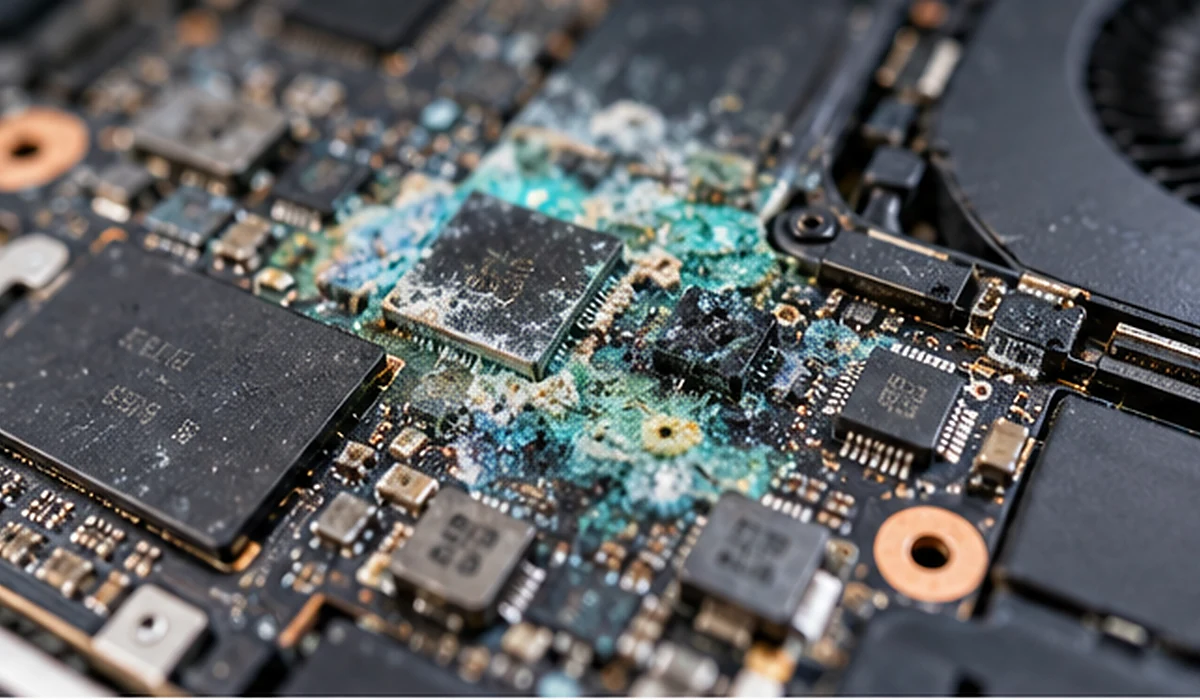
Why professional diagnostics matter.
At ThrifTech, we help customers with liquid-damaged MacBooks and Windows laptops across Welland, Fonthill, Pelham, and surrounding Niagara communities.
The first step is identifying which components were affected and whether repair is technically and economically practical.
Internal Inspection.
We assess the laptop’s condition and inspect affected areas where appropriate, including connections, charging circuits, and motherboard components.
Cleaning Assessment.
Liquid contamination may require specialized cleaning. In suitable cases, techniques such as ultrasonic cleaning of eligible disassembled components may be considered.
Board-Level Repair.
Severe damage may require component replacement, microsoldering, or other board-level repair techniques, depending on the fault and repair feasibility.
Ultrasonic cleaning and microsoldering are specialized methods, not guaranteed solutions for every laptop. Available repair options depend on the model, damage severity, and diagnostic findings.
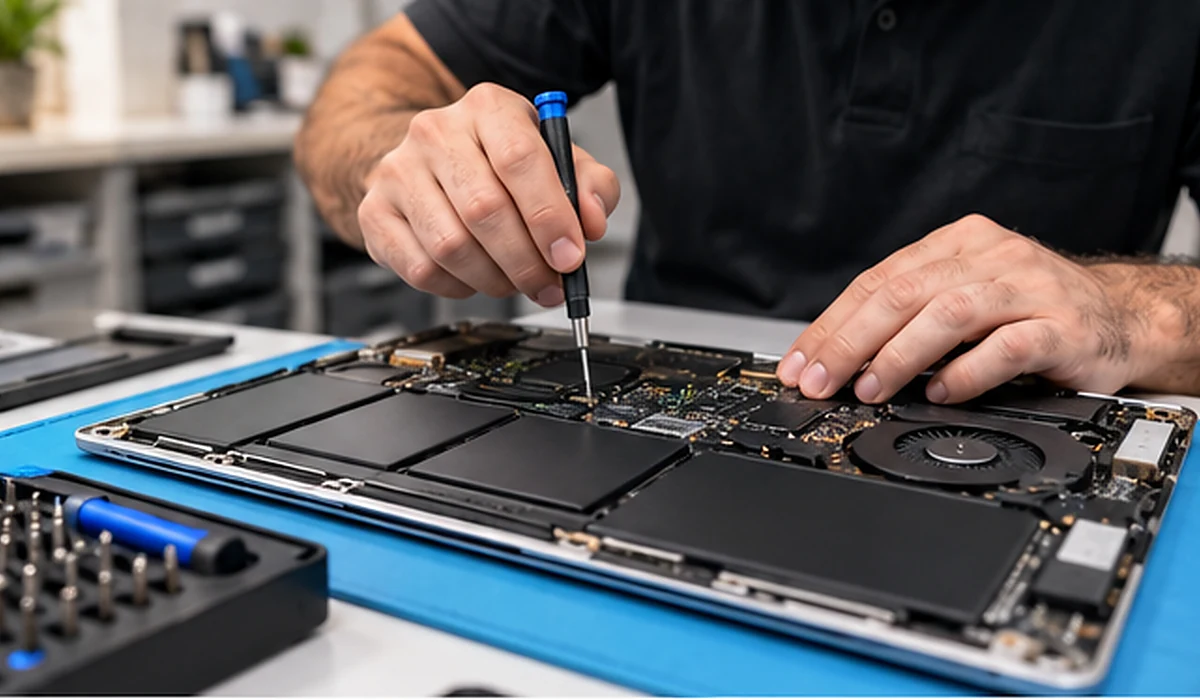
Your data may be more important than the laptop.
Family photos, school assignments, business documents, saved projects, and personal files can all be stored on a single laptop.
Some computers have removable storage drives, while many newer MacBooks use storage integrated into the logic board.
The possibility of recovering files depends on the laptop’s design and the extent of the damage.
If your files are important, let your technician know before any repair work begins. Avoid repeated attempts to turn on the computer.
Explore MacBook Repair Services ›It still works. Should you be worried?
Yes, especially if water or another liquid entered the keyboard, charging ports, or internal components. Hidden damage may develop even when the laptop looks normal.
Watch for these common warning signs:
- Laptop no longer turns on or charges.
- Keyboard keys or trackpad stop responding properly.
- Screen flickers or displays unusual colours or lines.
- Computer freezes, restarts, or shuts down unexpectedly.
- Charging ports or connected accessories behave strangely.
- Sticky residue remains after spilling coffee, soda, or juice.
- The laptop appears normal, but liquid may have entered through the keyboard or vents.
Coffee can leave residues that affect the keyboard, connectors, and motherboard. If you spilled coffee on a MacBook Air or Pro, shut it down, disconnect power, and arrange an inspection. The same precautions apply to Windows laptops. Spilled liquid on a phone instead? Read why you shouldn’t wait on phone water damage.
Liquid damage repair, close to home.
Searching for water damaged laptop repair in Welland, liquid damage diagnostics in Fonthill, or help to fix a water damaged PC in Niagara?
ThrifTech provides local diagnostics and repair assessments for MacBook and Windows laptop liquid damage. Visit either of our Niagara locations for an assessment of available repair options, or explore our computer and laptop repair services. Can’t make it in? Ask about our device pickup and drop-off service in the Niagara Region.
Free Diagnostics*
We offer free diagnostics for eligible repair cases. Terms and conditions apply, including the level of assessment required.
Clear Repair Options.
Our team explains the findings, possible solutions, and applicable repair costs before approved work begins.
4-Month Limited Warranty.
Qualifying completed repairs include a four-month limited warranty. Coverage is subject to repair-specific terms, conditions, and exclusions.
Your questions, answered.
Can a water-damaged laptop be repaired?
Often, yes. Repairability depends on the affected components and the extent of corrosion or electrical damage. A professional diagnosis is needed to determine whether repair is feasible.
My MacBook still works after spilling coffee. Is it safe?
Not necessarily. Coffee residue and moisture can cause corrosion or electrical problems later. Turn off the MacBook, disconnect power, and arrange an inspection.
How long should I wait before turning on a wet laptop?
There is no universal safe waiting period. Even when the laptop feels dry, moisture and contaminants may remain inside. After significant liquid exposure, professional inspection is recommended before powering it on.
Does putting a wet laptop in rice work?
No. Rice does not remove internal corrosion, sugars, or mineral deposits. It also cannot reliably dry components hidden inside the laptop.
How much does water damaged laptop repair cost in Welland?
The cost depends on the laptop model and the extent of liquid damage. Some cases require cleaning or part replacement, while others involve board-level faults. ThrifTech provides repair options and pricing following assessment.
Can my files be recovered from a liquid-damaged MacBook?
Data recovery may be possible, depending on the model, storage design, and damage. Recovery cannot be guaranteed. Tell the technician if preserving data is your highest priority.
Does ThrifTech offer free diagnostics?
ThrifTech offers free diagnostics for eligible repair cases, subject to terms and conditions. The extent of assessment required may affect eligibility.
Is liquid damage covered by the repair warranty?
Qualifying completed repairs may include a four-month limited warranty. Coverage depends on the specific repair, and existing corrosion or subsequent liquid-related damage may be excluded.
Spilled something? We’re here to help.
Turn off your laptop. Keep it unplugged. Bring your MacBook or Windows laptop to ThrifTech in Welland or Fonthill for liquid damage diagnostics and practical repair advice.
Free diagnostics on eligible cases (T&C apply). Qualifying completed repairs include a 4-month limited warranty. Repair and data recovery outcomes cannot be guaranteed.
Two locations. Local support.
Visit or call your nearest ThrifTech store.